
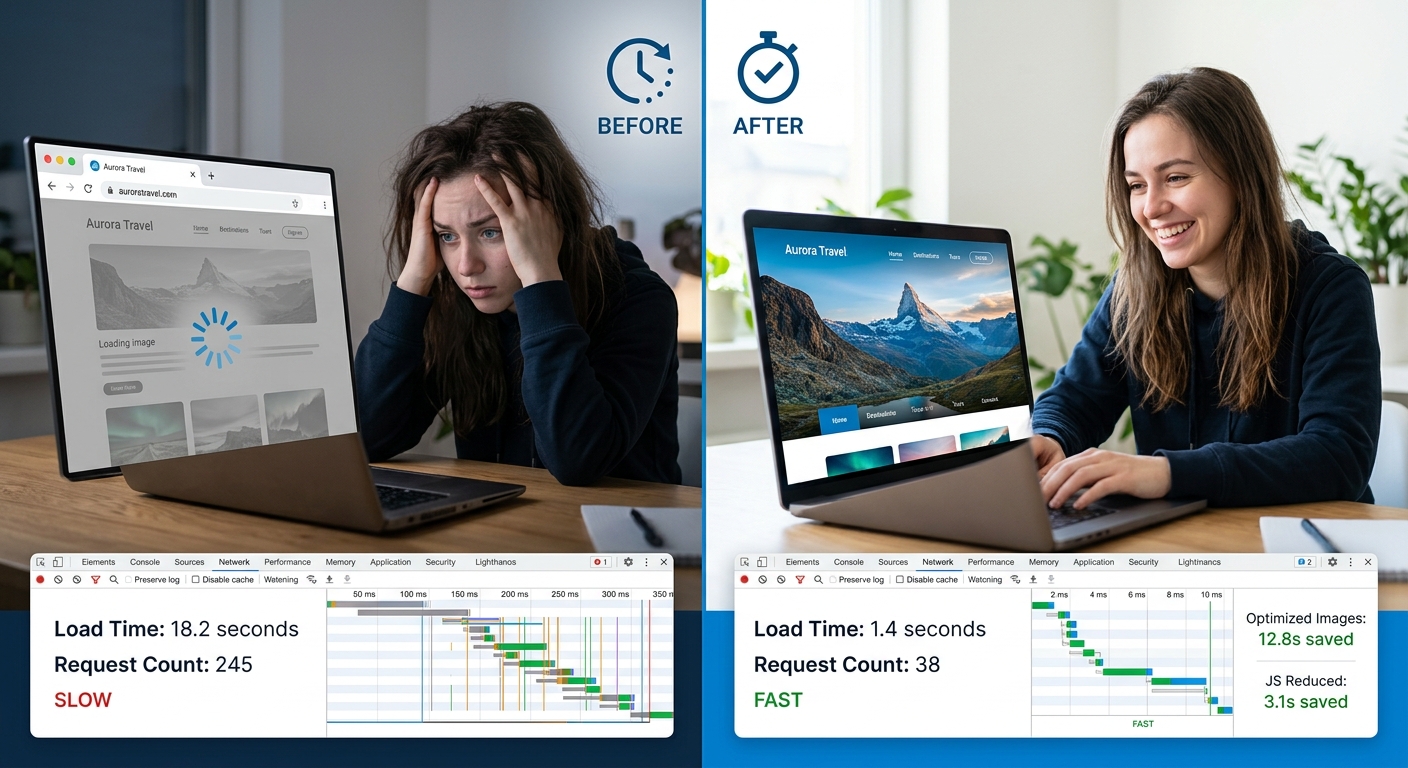
Most business owners have never run a speed test on their own website. The ones who have usually did it once, saw a number, and moved on without connecting that number to anything that actually matters to the business.
Here’s the connection: page speed is directly tied to conversion rate and search ranking, both of which are directly tied to revenue. A slow site isn’t a technical embarrassment. It’s a quiet, ongoing cost.
What “Slow” Actually Costs
The data on this is not subtle. Conversion rate drops measurably for every additional second of load time, and the effect compounds — a site that loads in 5 seconds converts meaningfully worse than one that loads in 2, and a site that loads in 8 seconds is often losing more than half its potential conversions to abandonment before the page even finishes rendering.
Search ranking factors in page speed directly. Core Web Vitals — the metrics Google uses to evaluate real-world loading experience — are a ranking signal. A slow site doesn’t just lose visitors who bounce; it also shows up lower in search results in the first place, which means fewer visitors ever arrive.
The compounding effect is the part most businesses miss: fewer people find the site (search ranking), fewer of the people who do find it stick around (bounce rate), and fewer of the people who stick around convert (conversion rate). Speed sits underneath all three.
What Actually Makes a Site Slow
Unoptimized images are the single most common cause of slow load times, and also the easiest to fix. A photo taken on a modern phone or downloaded from a stock photo site is often 5-10x larger than what a webpage actually needs. Resizing to the actual display dimensions and using a modern format (WebP or AVIF instead of JPEG/PNG) routinely cuts page weight dramatically with zero visible quality loss.
Unnecessary JavaScript is the second most common cause, and the least visible one. Every third-party script — analytics tools, chat widgets, marketing pixels, A/B testing tools — adds load time. Most sites accumulate these over years without anyone auditing whether they’re all still needed. A script audit that removes abandoned or redundant tools is often the highest-leverage speed fix available, because it requires no design work and no content changes.
Render-blocking resources — CSS and JavaScript that has to fully load before the page can display anything — are a common architecture issue. The fix (deferring non-critical scripts, inlining critical CSS) is technical but well-understood and doesn’t require a rebuild.
Server response time matters more than most people realize. If your hosting is slow to respond to the initial request, nothing downstream can be fast. This is often the case with older shared hosting or a CMS that’s doing more database work than it needs to per page load.
What to Fix First
Start with image optimization. It’s the highest-impact, lowest-effort fix available on almost every site, and it requires no structural changes — just compressing and correctly sizing existing assets.
Next, audit third-party scripts. Pull the network tab open, see what’s loading, and ask honestly whether each script is still earning its place. Most sites can remove 20-30% of their third-party scripts with zero impact on functionality.
After that, look at server response time and rendering architecture. These are more involved fixes — sometimes requiring a hosting change or a framework-level adjustment — but they’re worth prioritizing once the easy wins are done.
What’s Diminishing Returns
Once a site loads in under 2-3 seconds with good Core Web Vitals scores, further optimization has real but smaller returns. Chasing sub-second load times on every page is rarely worth the engineering effort unless you’re running at genuinely high traffic volumes where marginal gains matter at scale. Most businesses get the bulk of the available benefit from the first round of fixes — images, scripts, and the obvious architecture issues — and the returns flatten out quickly after that.
The practical takeaway: run a real audit (PageSpeed Insights or a similar tool gives a concrete baseline), fix the highest-impact items first, and stop once you’ve captured the big wins. Perfect is not the goal. Meaningfully faster than where you started is.